How to build a portfolio website with AI
Choose your strongest projects, write useful case studies and build a portfolio website with AI. A practical guide to design, images, search and launch.

Decide what your portfolio needs to show
A portfolio website helps someone understand your work before they meet you. A prospective client may want to see whether you have solved a similar problem. A design lead may be looking for your contribution to a team project. Both need more than a gallery of finished screens.
AI can help arrange the pages, build the layout and turn project notes into a readable first draft. The material that makes the portfolio useful comes from you: what the project needed, what you did and what the work shows.
Start with the next opportunity
Write down the kind of work you want to do next and the person deciding whether to contact you. A product designer seeking a role on a software team might lead with a complex workflow. An independent designer working with publishers might show a publication, a reading experience and a visual identity.
Use that choice to write your introduction. “I design planning and collaboration tools for small teams” tells a visitor more than “I create meaningful digital experiences.” Keep the wording close to how you describe your work in conversation.
Choose a small, deliberate collection
Begin with three or four projects you can explain well. Put the most relevant one first, then choose work that adds something different: another audience, a different constraint or a contribution that the first project does not show.
A self-initiated project can belong in the collection. Identify it as a concept and explain the question you explored. If a project is shared work, name your role and credit the people responsible for the other parts. Remove projects that no longer represent the work you want to take on.
Gather the material for each project
Make a short folder of material for every selected project before building the pages. Include an overview image, a few supporting details and notes about the decisions behind them. This gives you something concrete to work from when the first layout appears.
Turn project notes into a case study
Use the same basic questions across the collection:
- What was needed? Describe the audience, task or problem in a few sentences.
- What was your role? Name the work you personally did and the people you worked with.
- What shaped the design? Explain a useful constraint, a rejected approach or a decision that changed the result.
- What can you show? Select images that support those explanations.
- What happened? Describe the delivered work, feedback or results you can substantiate.
For a planning-tool concept, the opening could explain who needs the board, which part of the interface you designed and what you explored in the prototype. A caption might explain why feedback appears beside the task. Choose details that help someone understand a decision, rather than listing every stage of the process.
If you have measured results, say how they were measured. If the work was a prototype, describe what you learned from trying it. A precise account of a modest project is more useful than a large claim with no explanation.
Prepare images that remain useful on a phone
Keep the original files, then export web versions at a size that suits their position on the page. Use a full view to establish the project and closer crops to explain details. Avoid placing an entire dense dashboard in one small image and expecting its labels to be readable.
Write captions while the context is fresh. “The review queue groups work by the decision it needs” explains more than “Dashboard screen.” Add alternative text that describes the visible content, and use images you have permission to publish.
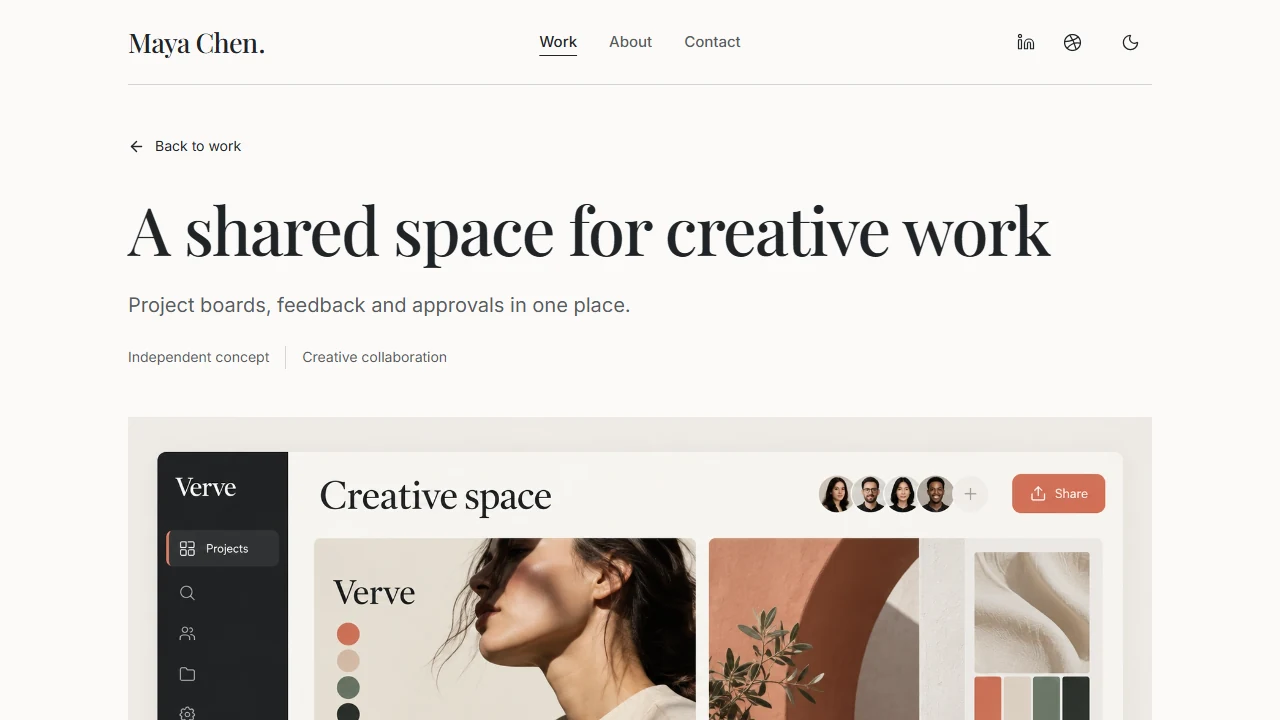
The case-study layout below combines interface images with an explanation of the approach, brief and design constraint. Use that relationship between image and explanation to shape your own project page.
Choose a layout that gives the work enough room
Look at the reading experience before choosing colours. Can a visitor find a relevant project, understand your role and reach your contact details? Open a case study and check how its text, images and captions work together.
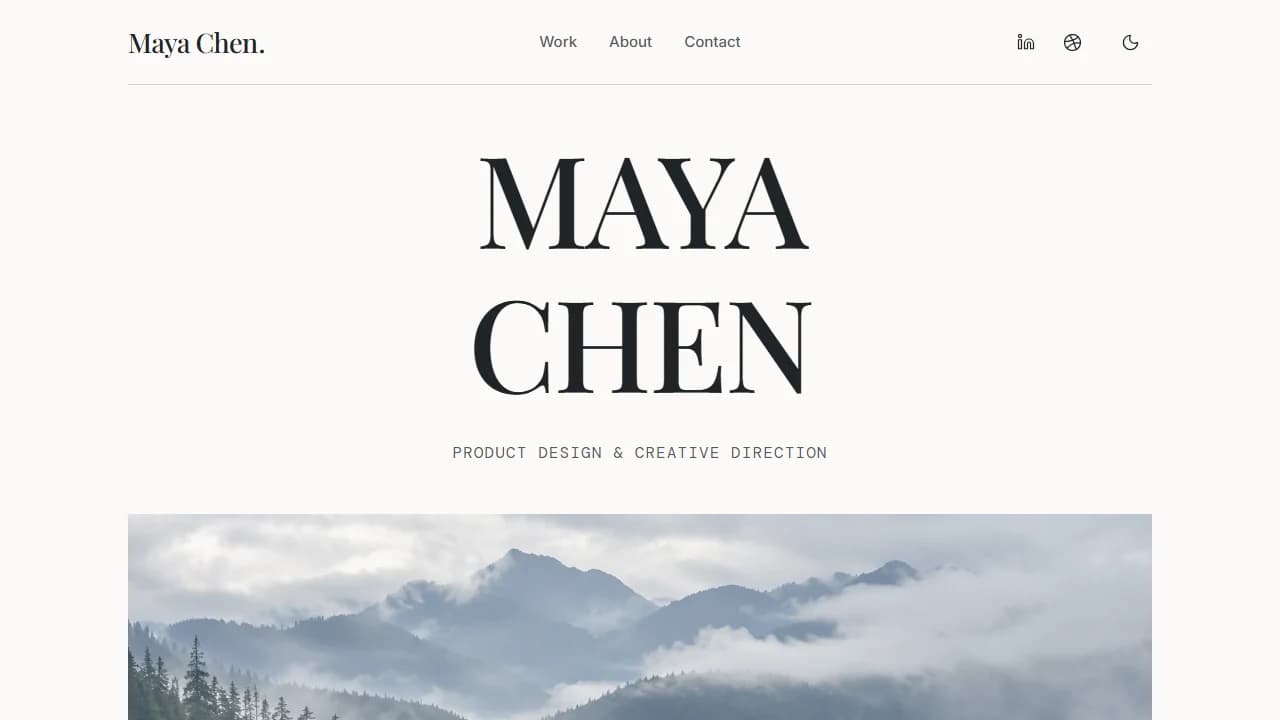
Maya Chen is a starting point for product designers and independent creatives. A large name and landscape photograph introduce the portfolio. The homepage brings selected work, education, a biography and contact details together, while four project pages provide room for longer explanations. A separate Interface studies page holds smaller pieces of work.
Upright serif headings and generous spacing give the pages a quiet rhythm. Light and dark themes offer two ways to view the work, while the navigation keeps projects, biography and contact details within reach.
Match the structure to your discipline
For product or UX work, give decisions and your contribution as much attention as the final screens. For a collection of individual artworks, compare Noé Varenne, with its restrained gallery, or Alex Sloane, with its animated collage and artwork pages. Choose the structure that fits the material you have prepared.
Architecture and interior design often need drawings, project facts and photographs of the finished space. VEYR provides that starting point, with individual projects, studio pages and a journal. The architecture portfolio guide explains how to organise that material.
Keep only the sections you can fill. Education is useful when it helps explain your background. A studies page is useful when you have work that deserves a closer look. You can remove either without padding it with unrelated content.
Build the first version around your strongest project
Open Maya Chen, explore Preview and choose Create your own. Bring your introduction, project notes and images into the project. Tell Mythos what kind of work the portfolio should represent and which project should lead the collection.
Begin with one complete case study. The homepage needs a short introduction that makes someone want to open it; the project page needs the fuller account. Use the prepared brief, your contribution and a few well-chosen images to establish a pattern for the rest of the collection.
A product designer applying to a small software team might lead with a scheduling tool and ask Mythos to place the workflow sketches beside the decisions they explain. An illustrator might instead put a series of finished pieces first and keep the project text brief. Describe the relationship between the work and the page, then review it with your actual material.
Review the story before polishing the spacing
Read the homepage and case study together. The introduction should match the work, the images should support the explanation and the reader should be able to distinguish the project's purpose from your contribution. Once that first project reads well, use the same approach for the others.
Then make focused requests. “On the second project, explain why the review queue groups tasks by decision; use the attached sketch and keep the current layout” is easier to assess than “make this more professional.” Our guide to iterating without breaking your app covers that process in more detail.
If a paragraph could belong to any designer, give it a concrete subject. Replace “a seamless experience” with the task made easier. Read the text aloud and remove repeated promises, unexplained jargon and conclusions that the project does not support.
Make the next step easy to find
Someone who has read a case study should know where to go next. Use the work index to show the collection, a next-project link to continue browsing and a clear contact destination for an enquiry.
Write a biography that adds context
Explain the work you do, the settings you have worked in and the way you approach a project. A short detail about your interests can make the page more personal, but the biography should still help someone understand what working with you involves.
Include education or earlier roles when they help explain your practice. Someone reviewing a recent graduate may find a course or research interest useful; an established client may be more interested in the work you take on and how a collaboration begins.
Use real contact and profile destinations
Give visitors an email address you monitor and make it a working email link. Keep the address readable so it can also be copied. A short sentence explaining the kinds of enquiries you welcome can help someone begin the conversation.
The social icons need the URLs of your own profiles. Keep the networks you actually use and remove the others. Set the location and clock to your city and time zone.
If you prefer a form, ask Mythos to add one and connect message delivery. Send yourself an enquiry through the published page before relying on it.
Read the portfolio on a phone
Review the site on a phone and a larger screen. A large project image can look impressive on a desktop while hiding its useful details when it becomes smaller. Captions and the case-study text should still explain the work without requiring visitors to zoom in.
Check your longest project title, your name and any long links. Follow the mobile menu to Work, open a project and continue to the next one. Try the same route with a keyboard; links and controls should make it clear where you are.
Try both themes. Text, dividing lines and controls should remain legible in each. Review animations with reduced motion enabled if your device offers that setting. An animation should help a visitor follow the page, while the content remains available without waiting for an effect.
Use smaller image files for thumbnails and reserve larger versions for the project pages. Check a page over a mobile connection to see whether the work appears promptly. A different name or photograph can change the balance of the opening screen, so judge the composition with your own content in place.
Give each page a clear search identity
Use your name and discipline in the homepage title, then give each project a title that identifies the work. A project name followed by “weekly planning tool” tells someone more than a page called “Project 01”. Write a short description that introduces the problem or idea behind the work.
Google's guidance on title links recommends descriptive, concise titles. Keep the visible heading and page title consistent, and avoid repeating the same list of keywords across every page.
Make images and links understandable
Describe useful images in context. An interface image might show a review queue or a mobile navigation pattern; its alternative text should identify that content. Put longer explanations in a caption or the article itself. Link to projects using their names or clear descriptions.
Choose a sharing image that represents the current portfolio and check its crop. The homepage, project pages and social preview should all present the same identity. Google's SEO Starter Guide explains how page content, images and links help search engines understand a site.
Configure the published address
Maya includes individual page titles, descriptions and a sitemap setup. When publishing your portfolio, ask Mythos to set its final website address and enable search indexing.
Connect the domain to Google Search Console and submit the sitemap. Use URL Inspection to see whether Google can access an important page, then review the searches that introduce people to your work as the site develops.
Publish, share and keep the collection current
Before sharing the address, take one final route through the published site: introduction, first project, another project and contact. Open a case-study link directly, as someone receiving it in a message would. Ask a colleague what they understand about your work after a short visit; their answer can reveal a gap that is hard to see while editing.
Remove the sample identity, example addresses and any projects you have not replaced. Check image credits and client permissions. If you keep an independent study, label it where a reader encounters the work.
Share the page that fits the conversation
Add the portfolio to your professional profiles and email signature. When contacting someone about a particular role or commission, link to the most relevant project and explain why you chose it. A direct case-study link gives them a useful place to begin.
Improve the portfolio as your work develops
Update the collection when you finish a stronger project or change the work you want to do. Review the introduction, contact address and external links at the same time. If you use analytics, look for decisions it can inform: which projects get attention, where visitors arrive and whether they reach your contact details.
You can start with a small, complete collection and improve it through real conversations. Explore Maya Chen, prepare one project in full and use it to establish the standard for the rest of the portfolio.
Common questions about building a portfolio with AI
Can I build a portfolio website without coding?
Yes. Start from a Mythos template and describe the changes through chat. Bring your project text and images, review the pages with your own content and set the contact details and website address you want to use.
How many projects should I include?
Start with three or four relevant projects that show different aspects of your work. Add another when it contributes something useful. A short collection with clear case studies is easier to assess than an archive with no explanation of your role.
Can I use personal projects if I have no client work?
Yes. Identify each as an independent project, explain the brief you set and show the decisions you made. Describe the actual deliverable or learning rather than implying that a real client commissioned it.
What should I change before publishing Maya Chen?
Make the identity and project collection your own, including the biography, images and captions. Keep only the sections you can fill usefully, and give visitors a direct way to contact you.
Does Maya include a contact form or content dashboard?
It starts with a contact section and editable portfolio pages. A form backend and a separate content dashboard are not included. You can maintain the pages through the website project and Mythos chat, or add a form when you need one.
Last updated