How to make an architecture portfolio
Choose your strongest projects, tell the story behind each design and build a portfolio website that helps clients and practices understand your work.

Give your architecture portfolio a clear direction
A portfolio brings your projects into a conversation with someone who may commission you, hire you or invite you to collaborate. Beautiful images create interest. The selection, explanations and sequence help that person understand what you could contribute.
Start with the kind of work you want to do next. A small practice seeking residential commissions needs to explain how it works with homeowners. A graduate applying to an architecture studio needs to make their design thinking and individual contribution visible. Those audiences can appreciate the same project for different reasons.
Understand what your reader needs to see
Write a short description of your intended reader before choosing projects. Consider their likely questions: have you worked at this scale, how do you respond to a difficult site, and what part of the process can you take on?
For a residential practice, an opening line such as “Architecture for compact urban homes” gives the work a useful frame. Follow it with a relevant project and an obvious route into the portfolio. Visitors should be able to explore the work without first deciphering a studio manifesto.
Read the opening screen as a sequence: your name, your focus, an image and a project to open. Give each element a clear purpose.
Show the decisions behind the finished image
A project becomes more memorable when the reader can connect its appearance to a design decision. Pair a courtyard photograph with a plan showing how rooms face it. Explain how the arrangement brings light into a deep site or creates privacy from a neighbouring building.
Keep sketches, study models and early alternatives as the work develops. Select the ones that explain a turning point. A short sequence showing the change from one arrangement to another can communicate more than a wall of process drawings.
Give every selected image a job: introduce the setting, explain the layout, reveal a material or show how the space is used.
Select projects that support the work you want
Your portfolio does not need to contain your entire archive. Build a collection whose projects earn their place and whose order makes sense to the person viewing it.
Decide how much work to include
Start with three to five projects you can explain well. Treat that as an editing exercise, then add another only when it shows something the collection is missing. A practice with several areas of expertise may need a wider selection; an early-career designer can build a convincing story around fewer complete studies.
Look for both depth and range. Two housing projects may belong together if one shows careful adaptation of an existing building and the other demonstrates a response to landscape. Several nearly identical projects can make the portfolio longer without revealing more about your ability.
Lead with a strong, relevant project. Review the last project too: it should leave the reader with a reason to remember your work, rather than simply being the oldest file you included.
Organise around the questions visitors bring
Use categories such as Residential, Workplace and Cultural when they help clients find relevant work. An interior designer might choose Homes, Hospitality and Retail. Keep the labels familiar and the number of categories manageable.
Within each category, consider the experience of moving from one project to the next. Alternate scale, setting or material where it adds interest, while keeping the overall selection coherent. Dates belong in the project details, but they do not have to dictate the order.
For a job application, send the recipient to the most relevant project or prepare a shorter PDF selection. A website can hold the broader body of work while a focused introduction explains why you are approaching that particular practice.
Include academic and self-initiated work with purpose
A competition entry or university project can reveal interests that professional commissions have not yet allowed you to explore. Choose it because it demonstrates a useful idea, method or capability.
Make its status clear beside the project facts. Identify your own contribution to collaborative work and credit the wider team. A reader should be able to distinguish a built project from a proposal while appreciating the thinking in both.
Build a website that gives the work room
Once the selection is clear, choose a website structure that lets people move easily between projects, your studio and contact information. A restrained layout gives photographs and drawings space while keeping the story easy to follow.
Choose a starting point for your practice
A hosted portfolio service offers a familiar publishing workflow. A custom website gives you more control over project pages and navigation. With Mythos, you can start from a template and describe the changes your practice needs.
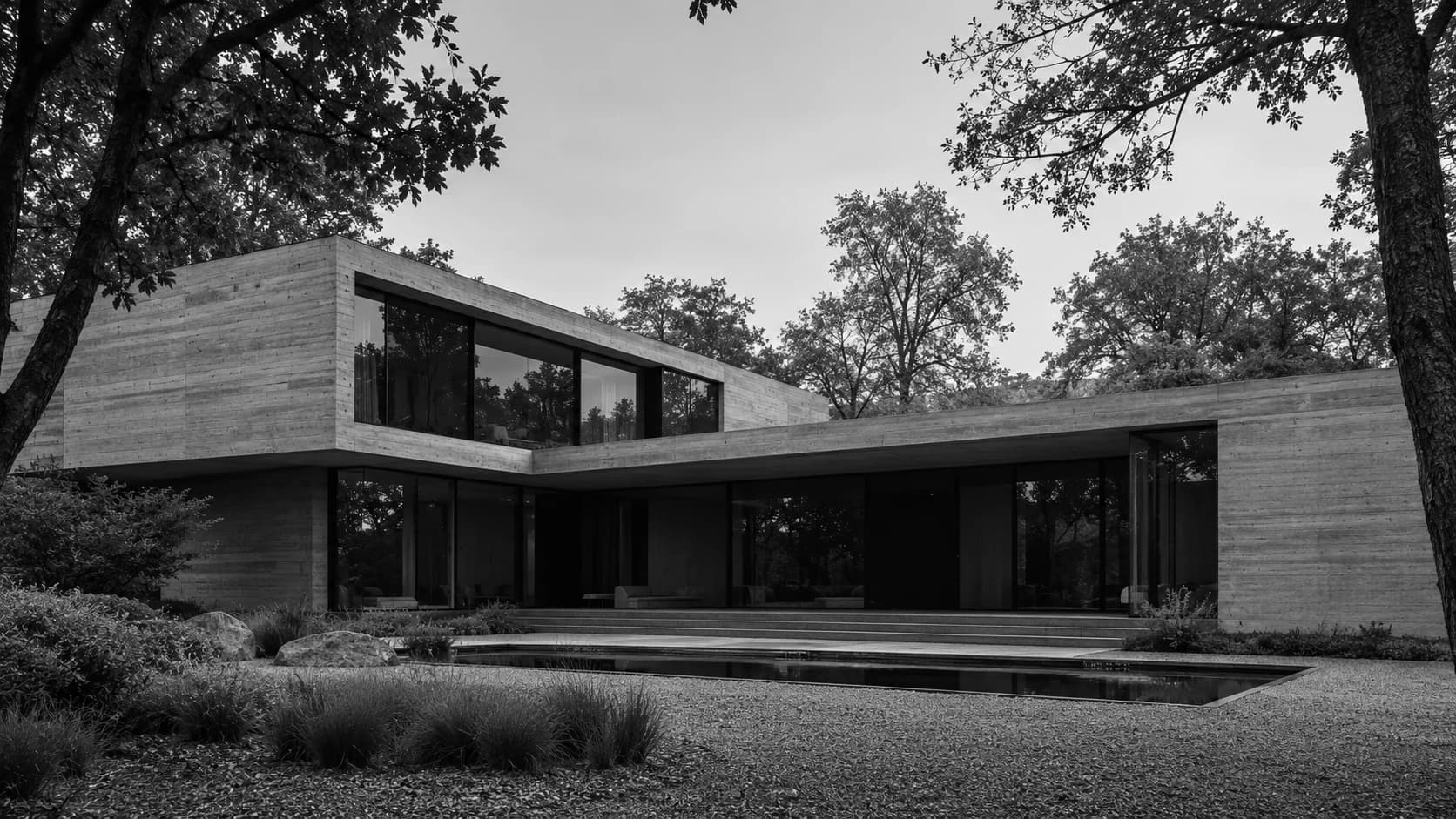
VEYR is designed around architecture and interior design. It combines a filterable project gallery, individual case studies, Services and Studio pages, a journal, and light and dark themes. Its monochrome presentation works with large photographs and detailed project descriptions.
Open Preview and follow a project from the gallery into its case study. Then use Remix to create your version. Replace the studio identity and sample projects with your own material before fine-tuning the type and spacing.
Keep the first request focused: “Adapt VEYR for a residential architecture practice. Use my studio introduction, group these projects into Houses and Renovations, and keep the photographs generous.” Add the prepared project text and images so the changes have a clear basis.
Make project pages comfortable on a phone
Review the first image, the longest project title and a detailed drawing at a narrow width. A desktop spread often needs a different arrangement on a phone: stack the plan and its explanation, and keep the caption beside the image it describes.
Watch for crops that remove the subject. A tightly cropped façade may work as a gallery thumbnail, while the case study needs the complete elevation. Break a dense presentation board into individual images so readers can see the relevant detail.
Try the menu, project filters and contact link with your thumb. The important actions should remain easy to find as you move through the page. Open the site on an actual phone as well as checking its browser Preview.
Give people a direct way to contact you
Place a clear contact route in the main navigation and near the end of each project. Use an email address you monitor and explain what a prospective client should include: project location, the type of work and their intended timescale.
VEYR begins with an email inquiry link. If you need an inquiry form, ask Mythos to add it and connect message delivery, then send a test inquiry through the published site. Keep a readable email address available for people who prefer it.
Introduce the people and approach behind the work
Use the Studio page to explain your focus, where you work and how a collaboration begins. A portrait or studio photograph adds a human reference alongside the buildings.
Replace broad claims with specifics. “We work on extensions and renovations in established neighbourhoods” says more than “We create exceptional spaces”. Describe the services you actually offer and illustrate your approach with a project readers can explore.
Make each project easy to understand and discover
A case study connects the images with the people, place and decisions behind them. It also gives someone a useful page to share with a colleague or return to after an initial visit.
Write the story around a design decision
Begin with the brief and setting, then explain the central response. For a house on a narrow plot, describe how the plan arranges shared and private rooms, where daylight enters and how the building relates to its neighbours.
Move from the overall idea to a few details that support it. If a material is important, explain what it does: a timber lining might soften the feel of a concrete room, while a deep reveal could control light and frame a view. Pair the explanation with the image that makes it visible.
Include the project type, location, year, status and your role where relevant. Add team and photography credits. End with what the finished work or proposal achieves in spatial terms. Readers can understand a better relationship between rooms without an invented performance statistic.
Write enough to make the project clear. A short renovation may need a concise account; a complex public building may benefit from several sections. Length should follow the story.
Prepare photographs and drawings for the web
Keep your original image files and export web versions at sizes suited to their placement. Use compressed WebP or AVIF images where your publishing setup supports them. Inspect fine lines, textures and lettering after compression, especially on plans and sections.
Choose a clear opening image and load additional detail as readers move down the page. Avoid making every gallery thumbnail carry a full-resolution image. Check the page over a mobile connection to see whether the work appears promptly.
Write alternative text that describes what the image contributes, such as “Ground-floor plan with living spaces arranged around a central courtyard”. Put longer explanations in visible captions. Google's image guidance covers descriptive text, image quality and discoverability.
Give search and sharing a useful description
Use a distinct page title for each project. “Courtyard renovation in Bristol — Studio name” tells a reader more than “Project 03”. A short page description can introduce the building type and the main design idea without repeating the title word for word.
VEYR includes individual page metadata and a sitemap setup. When publishing your version, configure the public domain and enable indexing. Submit the sitemap through Google Search Console, then review which project pages and search queries bring visitors to the site.
Link a journal story about materials or a site visit to the relevant case study. Give the project page a route back to the work index and a thoughtful next project. These connections help someone continue exploring without losing their place.
Check the preview image when sharing a project link. It should show the same project as the page, with a title that makes sense outside the context of your website.
Launch with a focused selection and keep it current
A useful architecture portfolio can begin with a modest collection. What matters is that the projects belong together, each page explains the work and visitors can reach you when something interests them.
Before sharing the address, follow the journey from homepage to case study to contact. Read it on a phone, open a project link directly and check the photographs and credits. Ask a colleague to describe what kind of work you do after a short visit; their answer can reveal where the presentation needs to be clearer.
Return to the portfolio as your practice develops. Replace weaker projects, add completed photographs and update proposals when their status changes. Use the journal for material studies or progress notes that add something to the work already shown.
Explore VEYR to begin with an architecture-focused structure. Bring your projects, images and point of view, then shape the site around the work you want people to remember.
Last updated