How to build a newsletter landing page
Explain what your newsletter offers, choose a sample worth reading and build a landing page that helps readers decide to subscribe.

Step 1: Give readers a reason to subscribe
A newsletter landing page introduces a publication to someone who has not read it yet. It needs to answer a few ordinary questions: what will arrive in my inbox, who writes it and why would I want to keep reading? A clear promise and a good sample help someone make that decision.
Begin with the reader and the subject. A newsletter about independent bookshops may interest people looking for their next visit; a letter about running a small design studio may help readers facing familiar working decisions. Those publications need different introductions, even if they use the same page layout.
Describe the offer in one sentence that names its subject and rhythm. “One practical teardown of a freelance website each month” is easier to picture than a promise of ideas and inspiration. Choose a schedule you can sustain, and explain whether the newsletter is free or paid where that affects the decision.
Make the first screen do a clear job
Put the publication name, the promise and the signup action close enough to understand together. A reader should not have to search the About page to discover what they are being invited to receive. Give the sample issue a visible place too, so someone can read before committing.
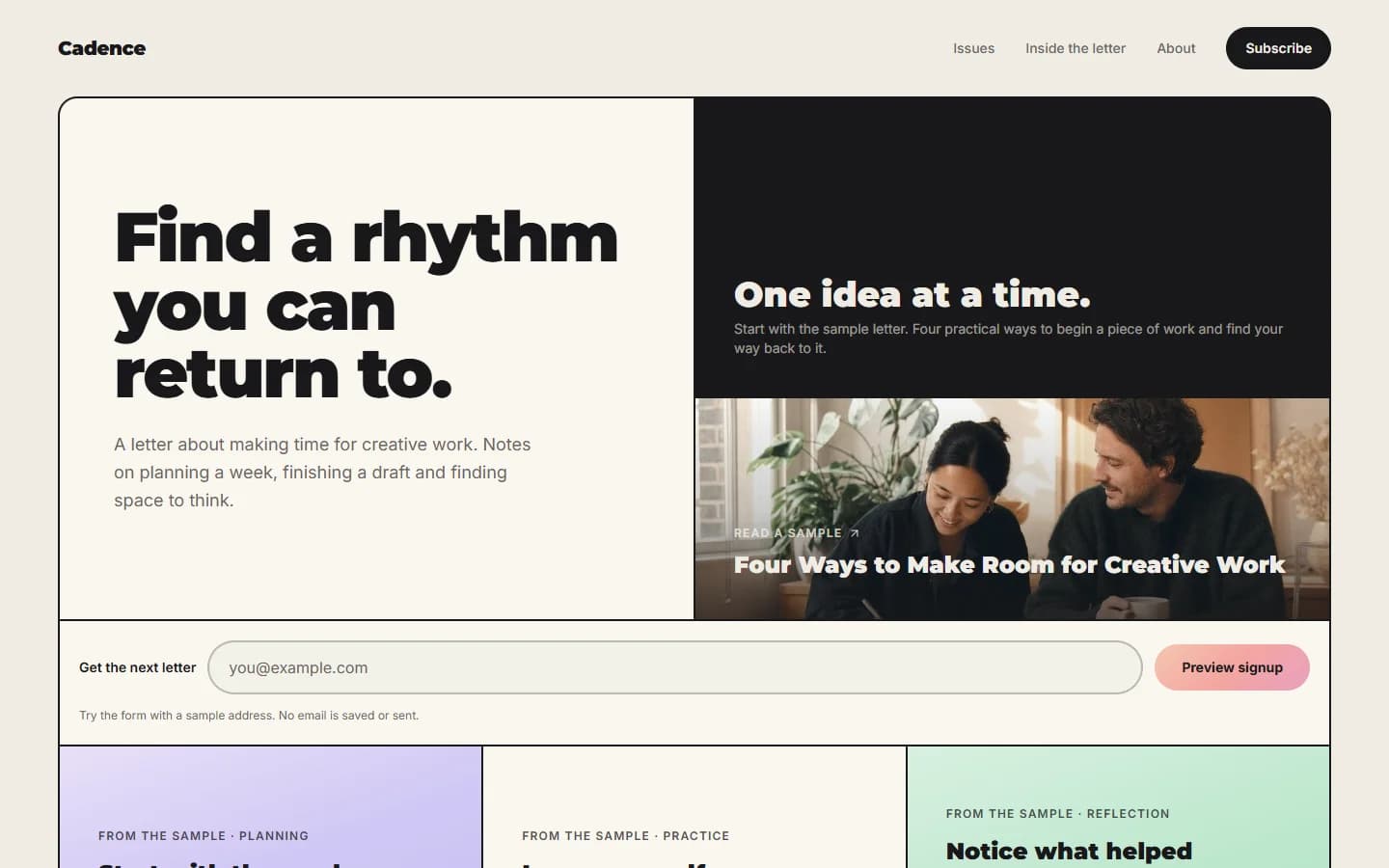
Cadence brings those parts into a grid of cards: the main offer, an author introduction, benefits and a sample issue. This guide uses that structure to build a page around your own writing.
Step 2: Prepare a sample worth reading
The sample issue is the strongest explanation of what subscribing will feel like. Choose a complete piece that represents the subject, length and voice you expect to keep publishing. A welcome announcement can introduce the project, but an actual issue gives readers more to judge.
If you promise a monthly website teardown, show one page, explain a specific problem and walk through the change. If you write about bookshops, take readers into a particular shop and introduce the books or people that made the visit worth describing. The example should fulfil the same promise as the headline.
Prepare the page around the writing
Write the issue first, then use it to shape the landing page. Prepare a headline and a short description, a few distinct reasons to read, an author introduction and a photograph you can publish. The benefits should be visible in the sample: a useful comparison, a closer look at a subject or a question the reader can apply to their own work.
Introduce yourself through your connection to the subject. Explain what you observe, practise or investigate. A short account of why you keep returning to this topic often tells a reader more than a list of broad credentials.
Keep testimonials or readership figures only when they describe your publication and you have permission to use them. A new newsletter can begin with a strong sample and an honest introduction.
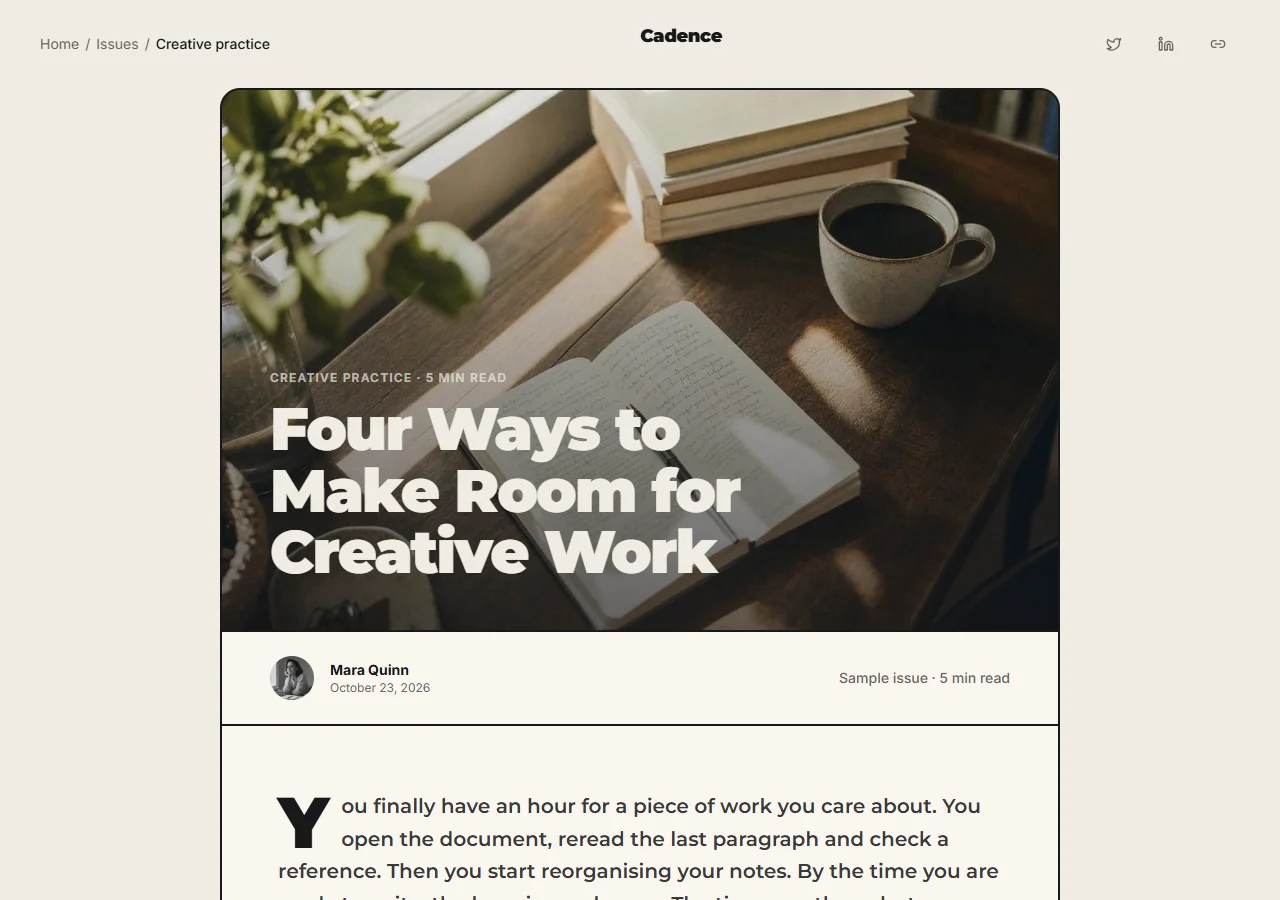
Cadence includes one complete sample, “Four Ways to Make Room for Creative Work”, with a cover photograph, author details and an illustrated article. Three cards on the homepage introduce different parts of that same issue. Use them to draw attention to the ideas in your own sample, and keep each card linked to the piece it describes.
Step 3: Build your newsletter landing page
Open Cadence in Preview and follow the path from the offer to the sample issue. Choose Create your own to begin a project, then bring in the publication name, introduction, finished issue and images you have prepared.
Replace the sample publication name, headline and description with your own. Add your author introduction and photograph, then replace the full sample article and its homepage excerpts together. Mythos can make these changes through chat using the material you provide.
Give each card a purpose
Use the largest opening card for the main promise. Let the author card explain who is writing and the benefit cards show what a reader will gain. Keep the sample easy to find. Remove a card when it repeats something already clear elsewhere.
Keep the broad spacing and strong headings if they suit your publication. Choose a small set of accent colours and photographs that fit the subject. A bookshop letter might use shelves, shopfronts and reading notes; a design newsletter might show work in progress.
Give reading and subscribing clear, separate places on the page. A visitor should be able to open the sample without joining the list, then return to the signup form from the article.
Step 4: Connect your mailing list and welcome message
Choose the mailing service that will store your subscriber list and send the newsletter. You can link the landing page to its hosted signup page or connect the form through an integration supported by that service.
Cadence's Preview signup form checks the address format and opens a demonstration confirmation page; it does not save the address or send email. Ask Mythos to connect your chosen service when you are ready to accept subscribers.
Explain beside the action what readers will receive and how often. Link to privacy information that describes your publication, and make sure readers can unsubscribe from the messages you send. If signup opens another website, keep the publication name and offer consistent so the transition is easy to recognise.
Welcome readers with something useful
Prepare the first message before sharing the page. Introduce the publication and deliver anything the landing page promised, such as a reading list or a welcome issue. Add a link to a favourite piece and explain when the next email will arrive.
Once the connection is ready, subscribe using an address you control. Complete any confirmation step, check that the address appears in your mailing service and read the welcome message. The signup page, confirmation and email should describe the same publication.
Step 5: Make the page easy to read on a phone
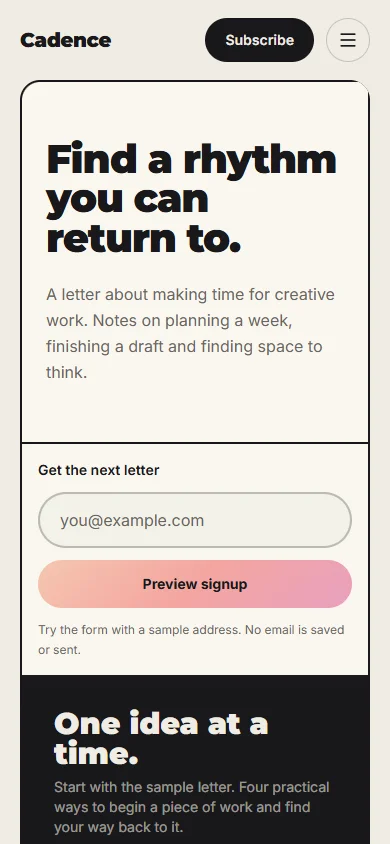
A visitor arriving from an email or a shared link may first see the page on a phone. Make the opening promise short enough to understand without scrolling through a screen of large text. Cadence stacks the introduction, signup form and sample content into a single column on small screens.
Read your sample on the phone as well. Break long passages into paragraphs, use headings where the subject changes and keep captions close to their photographs. Compress images for the size at which they appear, and add alternative text that describes useful visual information.
Follow the route from the homepage to the article and back to the signup form. Check that the menu, links and form remain easy to use with touch and a keyboard. Give long titles room to wrap without pushing content beyond the screen.
Step 6: Publish the page and find your first readers
Give the page a title that pairs the publication name with its subject, and write a short description of the offer. Choose a sharing image that belongs to the newsletter. Someone seeing the link in a message or a search result should be able to understand what they are opening.
Publish when the offer, sample and subscription journey are ready. Add the address to your author profile and share the sample in places where its subject is useful. A short extract with a link to the full issue gives people something to read before you invite them to subscribe.
Ask early readers what made them interested and whether the sample matched their expectations. Those conversations can reveal an unclear promise or a missing detail. Over time, compare visits with confirmed subscriptions in your mailing service, taking account of where the visitors came from.
Keep the page current as the newsletter develops. Replace the sample when a later issue represents it better, update the schedule when it changes and add genuine reader feedback when you have permission. Make one useful revision at a time so you can understand its effect.
Explore Cadence to start with a focused newsletter page. If you want readers to browse a growing collection of essays as well, the personal blog guide explains how to organise a fuller publication.
Last updated